PlantDataManager
Edit project data without AutoCAD Plant 3D
Choose product

Edit project data without AutoCAD Plant 3D

Automate routine tasks and workflows

Connect external data sources and systems

Generate reports, datasheets and analyses

Synchronize project standards and configurations

Intelligently link P&IDs with 3D models
All six tools in one bundle


 Situation: Project managers and engineers need current data but don't always have access to AutoCAD Plant 3D, or need to maintain data outside the CAD environment.
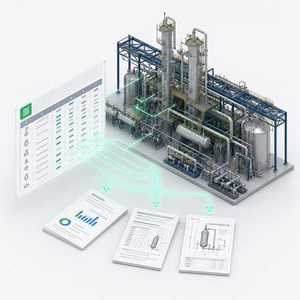
Solution: PlantDataManager provides project data in a tabular interface. PlantReporter generates reports, data sheets, and lists from it. Added information can flow into evaluations even if it hasn't been placed graphically in a drawing.
Tools used: PlantDataManager + PlantReporter
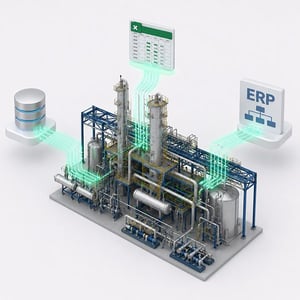
Situation: Technical data exists in ERP systems, Excel lists, or databases and needs to be linked to Plant 3D objects and used in reports.
Solution: PlantLink connects external data sources to Plant 3D objects. PlantDataManager enables control and editing of project data. PlantReporter generates reports, data sheets, and evaluations from it.
Tools used: PlantLink + PlantDataManager + PlantReporter
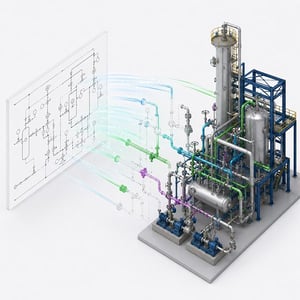
Situation: Properties, classes, symbols, and project settings need to stay identical across multiple projects, without manually checking each one.
Solution: PlantSync compares reference projects with active projects and synchronizes configurations. PlantExpressTools adds functions for importing and exporting classes, properties, and symbol information.
Tools used: PlantSync + PlantExpressTools

Situation: Information from the P&ID shouldn't have to be re-entered in 3D modeling. At the same time, discrepancies between P&ID and 3D should become visible earlier.
Solution: PlantSpecDriven uses pipe class data directly in the P&ID and supports transferring relevant information toward 3D. PlantExpressTools adds automation functions for recurring P&ID tasks.
Tools used: PlantSpecDriven + PlantExpressTools

Situation: Technical data, drawings, properties, and reports change during the project. These changes need to remain traceable.
Solution: PlantExpressTools logs changes to properties. PlantDataManager shows data changes and supports editing outside the CAD environment. PlantReporter generates comparable report versions and revisions.
Tools used: PlantExpressTools + PlantDataManager + PlantReporter

Situation: Multiple designers work in parallel, data changes regularly, and project standards need to stay current across active projects.
Solution: PlantSync keeps configurations and standards consistent. PlantDataManager enables parallel data maintenance. PlantReporter creates evaluations of project status. PlantExpressTools supports recurring administrative tasks.
Tools used: PlantSync + PlantDataManager + PlantReporter + PlantExpressTools