
auxalia

Cloud Validation
IDS-based model validation in Autodesk Forma
A designer uploads a new IFC model. Are the classifications, attributes and room data correct? Often, these issues are only discovered during coordination or handover, when fixing them becomes costly.
auxalia Cloud Validation checks every model in Autodesk Forma against your project requirements, on demand or on a scheduled basis, and creates a BCF issue for every deviation, assigned to the responsible person. Define your requirements once and validate every model across every project.
Validation is not an isolated step. Requirements are defined where models are created, and the results trigger the next step in the process. Validate first. Automate next.
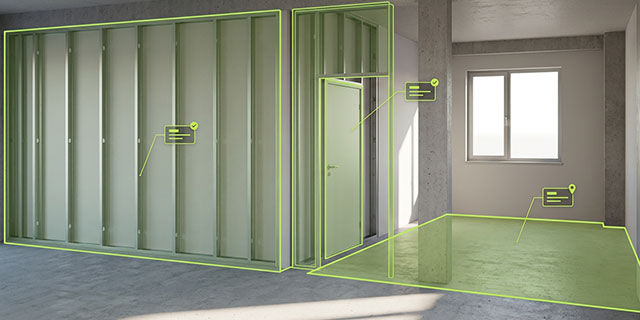
Model quality based on rules, not guesswork
Validate models where they reside
- Server-side validation in Autodesk Forma — no downloads or desktop licences required
- Run checks manually or automatically whenever a new model version is uploaded
Turn findings into issues
- Deliver results as BCF issues directly into the coordination workflow
- No PDF reports buried in someone's inbox
Open across platforms
- IFC, IDS and BCF support models from Revit, Archicad, Allplan and Tekla
- Designed for clients, general contractors and designers on every side of a project
How it works: Requirements. Validation. Issues.

Requirements
What must the model comply with?
- Create IDS specifications in the built-in editor or import existing files
- Derive requirements from the client's Employer's Information Requirements (EIR)
- Manage versions by project, project phase or discipline

Validation
When should models be checked, and against which requirements?
- Run a check manually with a click on a model in Forma
- Schedule automatic validation whenever a new model version is uploaded
- Apply multiple IDS specifications to a single model

Issues
Who needs to know what?
- Create a BCF issue for every deviation
- Assign issues to the responsible designer and the relevant building element
- Track validation runs and monitor trends throughout the project lifecycle
Five tasks auxalia Cloud Validation takes care of for you
Check model deliveries before coordination begins
Every new IFC model uploaded to Forma is checked against the project's IDS specifications. Deviations are sent to the responsible designer as BCF issues before coordination starts.
Validate your own models before delivery to the client
Design practices check their models against the client's requirements before uploading them. This helps prevent rejected submissions and costly rework.
Formalise requirements once and validate them everywhere
Convert the client's Employer's Information Requirements (EIR) into IDS specifications and reuse them across projects. This makes information requirements machine-readable and verifiable, rather than merely documented.
Validate every model version automatically
auxalia Cloud Validation checks every new model version overnight. This gives you continuous visibility into model quality throughout the project lifecycle, rather than just at key milestones.
Release models only after successful validation
Combined with auxalia Automation, validation becomes a release gate. The approval workflow starts only when the model passes the required checks. The validation report is saved to your document management system (DMS), issues are assigned to the designers, and the team receives a notification.
Validate first. Automate next.
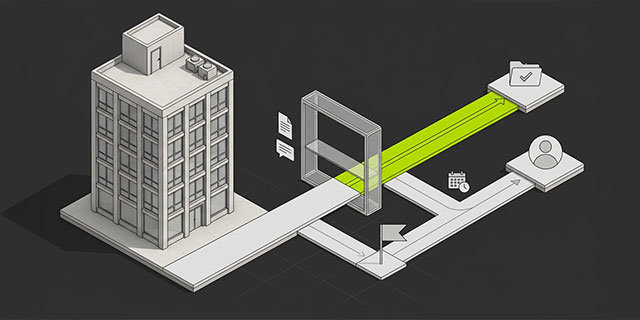
Together with auxalia Cloud Automation
auxalia Cloud Validation checks. auxalia Cloud Automation acts.
As soon as a new IFC model is uploaded to Forma, auxalia Cloud Validation checks it against the project's IDS specifications. auxalia Automation takes care of the next steps: the validation report is saved to SharePoint, BCF issues are assigned to the responsible designer, and your team receives a notification in Microsoft Teams.
The validation result determines what happens next:
- Validation passed: The approval workflow starts, and the model is moved to the designated approval folder.
- Validation failed: The model is returned to the designer with a deadline. Automatic reminders help ensure that the deadline is not missed.
The roadmap: One data model from Revit to IFC
By mid-2027, we plan to bring our BIM quality management tools together. The principle is simple: define requirements once and validate them everywhere — in Revit during design and in Autodesk Forma.
All requirements are managed centrally in the ParameterTool requirements database. IDS specifications, checksets and parameter lists are generated from this shared source, replacing multiple disconnected files.
Design teams work with Revit families built on the auxalia data model. ProjectBox and ParameterTool help ensure that model data is correct from the outset, directly within Revit.
Models are checked wherever they currently reside. auxalia Cloud Validation checks IFC models in Forma, checksets run in the Revit Interoperability Tool, and IDS validation for Revit files is available both in Revit and in the cloud.
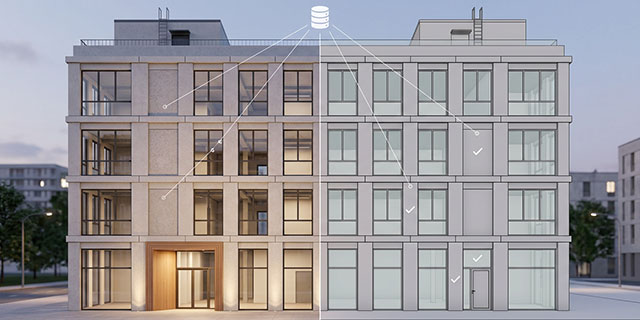
Frequently asked questions
auxalia Cloud Validation checks IFC models in Autodesk Forma against IDS specifications. It validates elements, classifications, attributes, property sets, values and relationships.
IDS stands for Information Delivery Specification. It is the open buildingSMART standard for describing information requirements for building information models in a machine-readable format.
This means your validation rules are based on an open standard, rather than a proprietary format.
No. We work with you in a workshop to create your first IDS specification based on your Employer's Information Requirements (EIR). You can then maintain and update your requirements using the integrated editor. Existing IDS files can also be imported.
Several tools can run an individual validation on demand. auxalia Cloud Validation goes further: it automatically checks every new model version and delivers the results directly into your coordination workflow as BCF issues.
You can manage requirements across projects and make successful validation a prerequisite for an approval workflow.
The difference lies not in the individual check, but in integrating validation into your ongoing project processes.
No. Autodesk Model Coordination identifies clashes between model elements. auxalia Cloud Validation checks whether models meet defined information requirements: Is the required information present? Are elements classified correctly? Are attributes and naming conventions correct?
Both tools complement each other.
Drawing Compliance Review is announced for early 2027. It uses AI to check drawings, whereas auxalia Cloud Validation checks models against the open IDS standard using rule-based validation.
Every validation result can be traced back to a specific requirement. The two tools address different needs and can complement each other.
Within a few days. We begin with a demonstration using your own model. During a workshop, we create your first IDS specification, and the first validation can run directly within an active project.